
The simple yet functional
Jira alternative
$5/month flat fee
Unlimited Users, Projects & Client Companies
You only pay for storage.
Adding more team members or clients costs you nothing.
No credit card required.
Setup in 2 minutes.
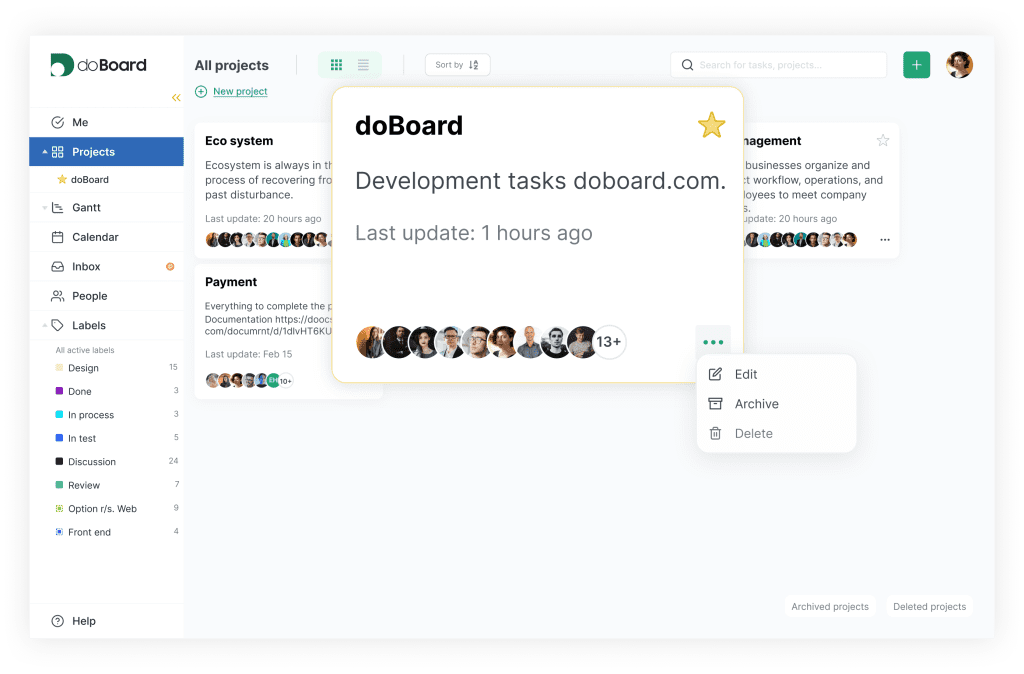
a lightweight project management tool
for small and mid-sized teams
doBoard is a simple Jira alternative for small and mid-sized teams, from software developers to agencies and local businesses. Jira charges per user, about $8 per person each month on the Standard plan. doBoard costs a flat $5 per month, and you can add as many users as you need, including your clients. Projects, sprints, workload planning, time tracking, team calendar, Planning Poker, and much more are included in every plan, and setup takes minutes.
Predictable billing
No per-user fees and no paid add-ons required.
Universal
Easy to customize for Agencies, Offline Businesses, and Dev Teams.
Fast setup
No manuals or admins needed. Start working in minutes.
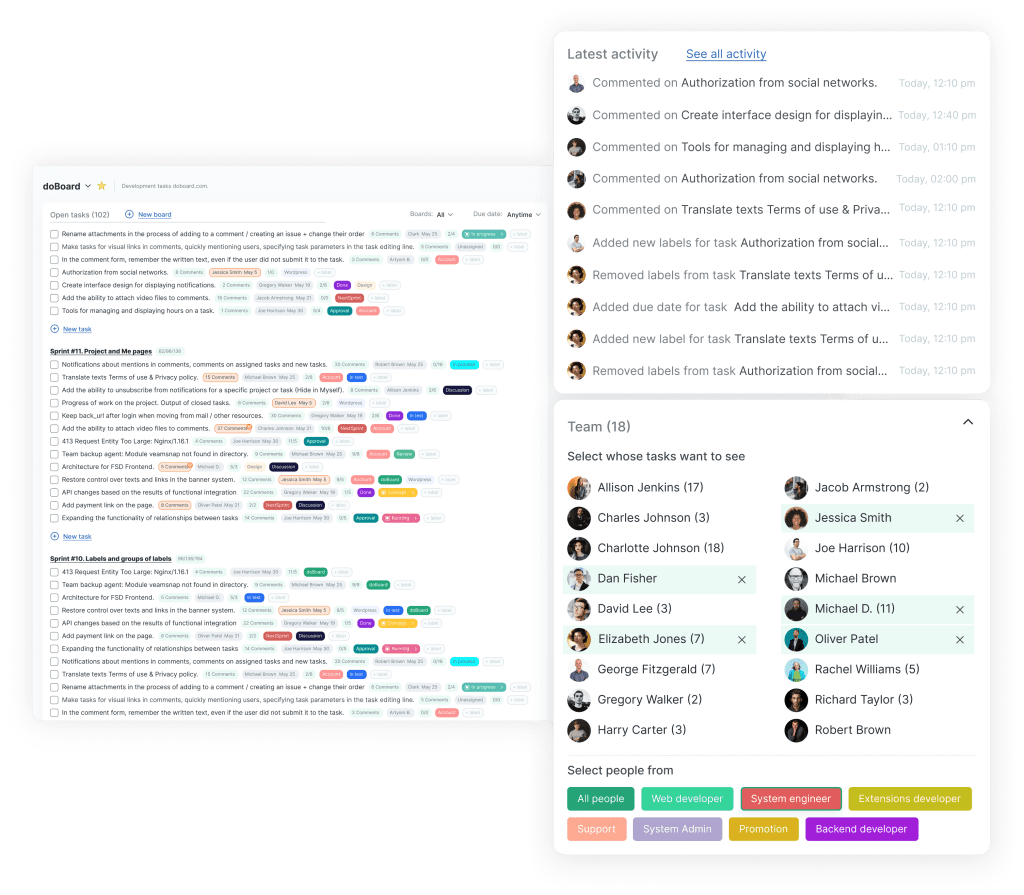
Why Teams Switch to doBoard
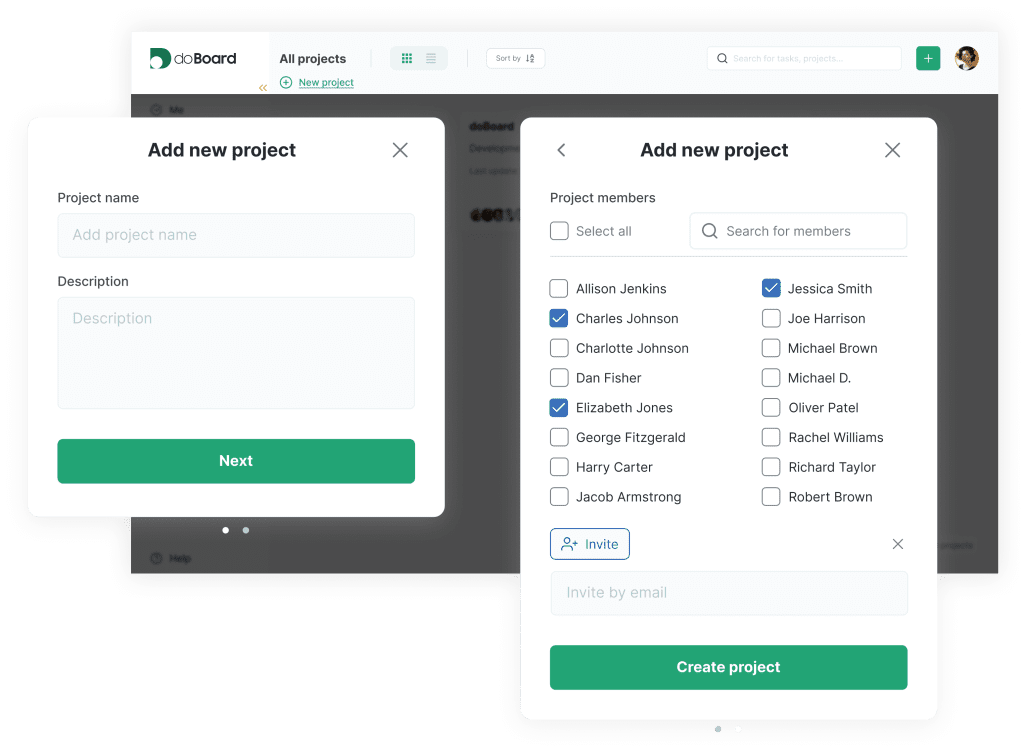
No time for complex setup or a dedicated admin
You shouldn’t need a certified administrator just to manage your project software. doBoard is ready to use immediately.
You prioritize speed and focus
You prefer a clean interface that loads instantly and helps you focus on the actual work.
You want to scale your team without multiplying your costs
You don’t want to worry about the budget every time you hire a new employee or invite a client. With doBoard, adding people doesn’t change the price.
Multi-Company Support
Running an agency or a service business? Create multiple “Companies” under one account. Keep different clients or departments completely separate but accessible with one login.
Flexible Hierarchy
Start with Projects, then organize tasks into specific Boards. A Project can hold multiple Boards (e.g., “Design,” “Development,” “Marketing”), keeping everything structured but flexible.
Custom Tags & Labels
Create custom Label Groups to track anything: Status, Priority, Department, or Location. Filter your Dashboards by these tags to see exactly what’s going on.
doBoard vs Jira: Features Comparison
Here is how doBoard and Jira compare on the points teams ask about most.
Jira offers more configuration options, while doBoard gets you working in minutes and costs the same no matter how many people join.
| Jira Software (Standard) | doBoard | |
|---|---|---|
| Best for | Complex workflows and teams ready to invest in setup | Fast start and simple workflows |
| Free option | Free plan for up to 10 users. Limited to 2GB storage, no external collaboration or advanced permissions, community support only | Free 7 day trial with all features |
| All features included | Some features require higher plans or add-ons | Every feature in every plan |
| Setup | Takes time to configure, often needs an admin | Ready to use in minutes |
| Self hosted version | Discontinued: Atlassian stopped selling new Data Center licenses in 2026 | Available in beta |
| Client access | Free guests on paid plans only, up to 5 per paid seat | Add clients as regular users, unlimited and free |
| Sprints and Agile | Yes | Yes, including Sprint Planning & Progress, and Planning Poker |
| Separate workspaces for clients | Possible through project permissions | Built in: a separate Company for each client |
| Pricing model | $7.91 per user per month | $5 per month flat, unlimited users, all functionality. Price grows only if you need more than 5GB storage |
| Time tracking | Built in, advanced reports need add-ons | Built in, shows planned time vs actual time per task |
Jira pricing and features verified in July 2026. See the official Atlassian pricing page for current figures.
Pricing: Scale your team, not your costs
Jira is free for up to 10 users. But as soon as you add the 11th user, you must pay for all 11 seats.
With doBoard, the price stays flat.
Team Size | Jira Standard (from ~$8/user) | doBoard (5GB Plan) |
11 People | ~$88 / mo (You pay for all 11) | $5 / mo |
20 People | ~$160 / mo | $5 / mo |
50 People | ~$370 / mo | $5 / mo |
Jira pricing is estimated and may vary. Please refer to official pricing pages for the most up-to-date figures.
All doBoard features are included in every doBoard plan.
You never pay for “Pro” features or per-user seats. You simply pay for storage space.
Use Cases
One workspace for every workflow
Software & Product Teams
Great for teams running Agile and Scrum. You get the most commonly used features out of the box: Sprints, Backlogs, Planning Poker, and GitHub integration.
Agencies & Service Businesses
Work with unlimited clients. Create separate Companies inside doBoard for each client to keep things organized. Invite guests to specific projects — you never pay for their seats.
Online Businesses
Perfect for e-commerce, content creators, and remote teams. Track daily operations, share files, and clarify who does what. It’s the digital HQ that keeps your distributed team aligned without the noise.
Offline & Local Businesses
Simply organize around your business needs using flexible Tags and Label Groups. Mark statuses, locations, or priorities exactly how you want. Easy to set up, with no training or complex integrations required.
FAQ: Jira Alternatives & Comparison
Trello is great for simple boards but might lack deep functional depth. Jira is powerful but can be complex and expensive for some teams. doBoard offers more features than Trello, without the complexity of Jira.
By storage only. If you need more than 5 GB, choose a larger storage tier. Seats, projects, and boards are always unlimited, with all functionality included on every plan. Learn more
doBoard offers a free 7-day trial with full access to all features. While we don’t have a permanently free plan, our pricing is incredibly affordable: just $5/month flat fee for unlimited users. You can pay monthly and cancel anytime.
If you value speed and simplicity, and you want a tool where you don’t have to count users, doBoard is a great fit. It provides a transparent, flat price for unlimited growth. See why small businesses choose doBoard
Yes. We have dedicated features for Agile and Scrum, such as Sprints and Planning Poker. In fact, our own development team uses doBoard to manage their Agile workflows.
While we have Scrum features, you can easily ignore them. doBoard is highly customizable and works perfectly for non-Agile teams, including product, development, marketing, operations, and basically anyone who needs simple task management at an affordable price. doBoard users include web development, software, and marketing agencies, small online and offline businesses, educational institutions, startups, and many others.
Absolutely. Our “Multi-Company” feature lets you create isolated workspaces for each client. You can invite clients to view their project status securely, making doBoard an ideal client-facing project management tool.
Yes, in beta. For companies with strict data compliance needs, doBoard offers a self-hosted (on-premise) project management beta version. This gives you full control over your data and infrastructure. For beta access, email us at we*****@*****rd.com
Yes. Atlassian stopped selling new Data Center licenses in March 2026, and all existing Data Center instances become read-only after March 2029. If you relied on Jira’s self-hosted option, doBoard offers a self-hosted (on-premise) beta with full control over your data and infrastructure. For beta access, email us at we*****@*****rd.com.
For a team of 15 people, Jira Standard costs around $119/month at $7.91 per user. doBoard costs a flat $5/month no matter how many people join. The gap grows as your team grows: at 50 users, Jira runs about $370/month, while doBoard stays at $5/month, plus storage if you need more than 5GB.
Automated migration from Jira is currently in beta and available on request. Write to us at we*****@*****rd.com and we will help you move your projects and tasks.