
The Best Trello Alternative
That Gives You Everything
for $5/Month
Simple, Fast & Functional
Flat, Predictable Monthly Pricing
You only pay for storage. $5/month includes 5 GB. Upgrade only if you need more.
Adding more team members or projects costs you nothing.
No credit card required. Set up in 2 minutes.
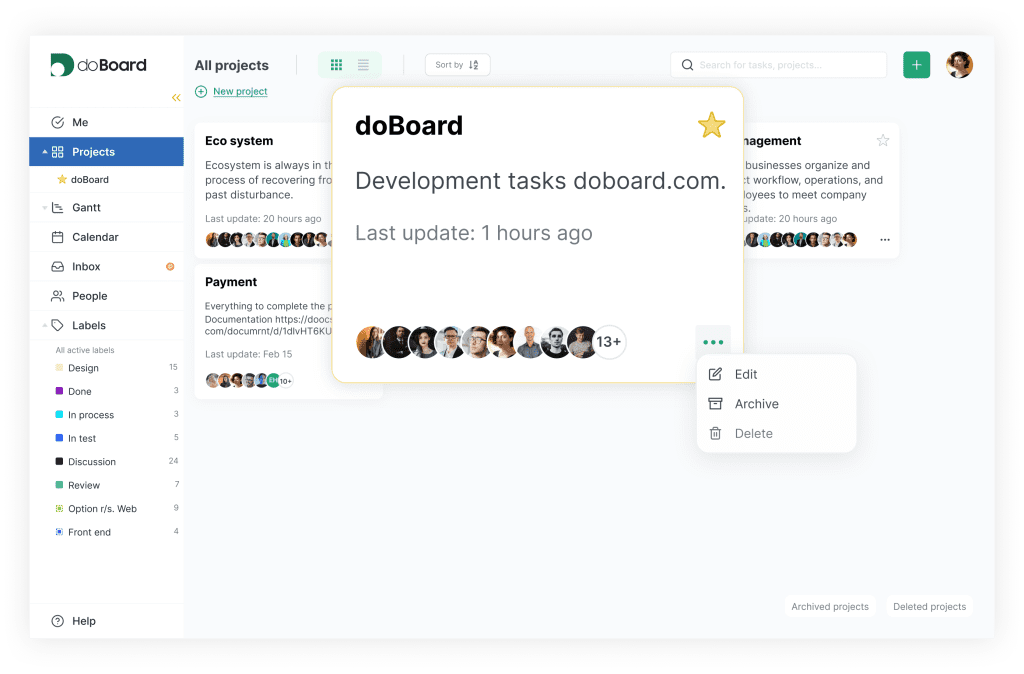
Why Teams Are Switching from Trello to doBoard in 2026
Different businesses run projects differently. doBoard adapts with simple customization and predictable pricing.
All Features Included. No Upgrades Needed.
doBoard costs $5/month, and that includes everything in the product. Calendar or list view, custom fields, sprint tools — all included from day one. There’s no second tier to unlock and no feature held back for a higher plan. One price. The whole product.
Explore all features
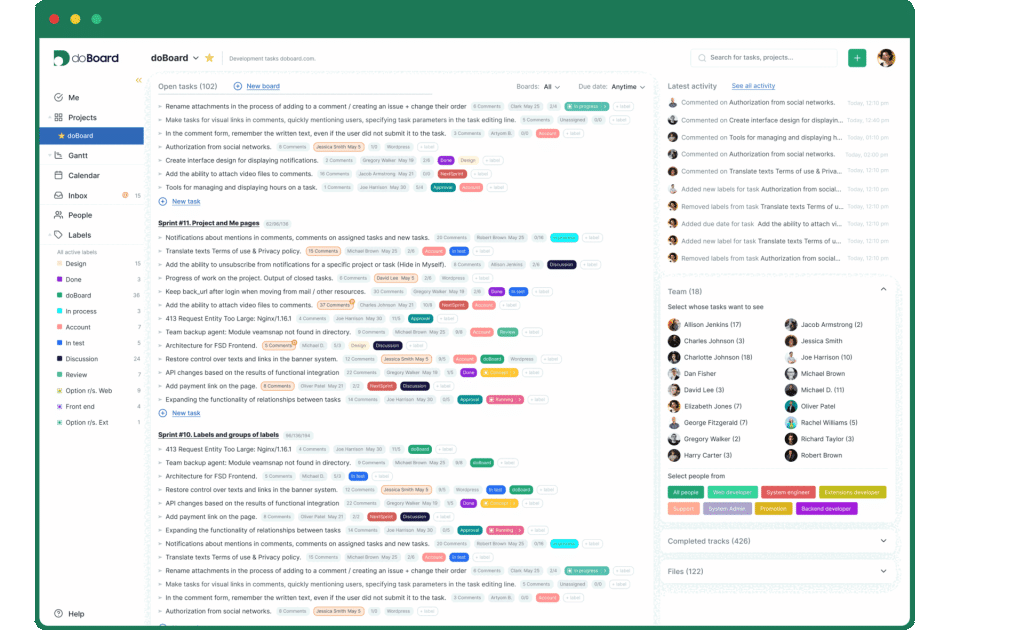
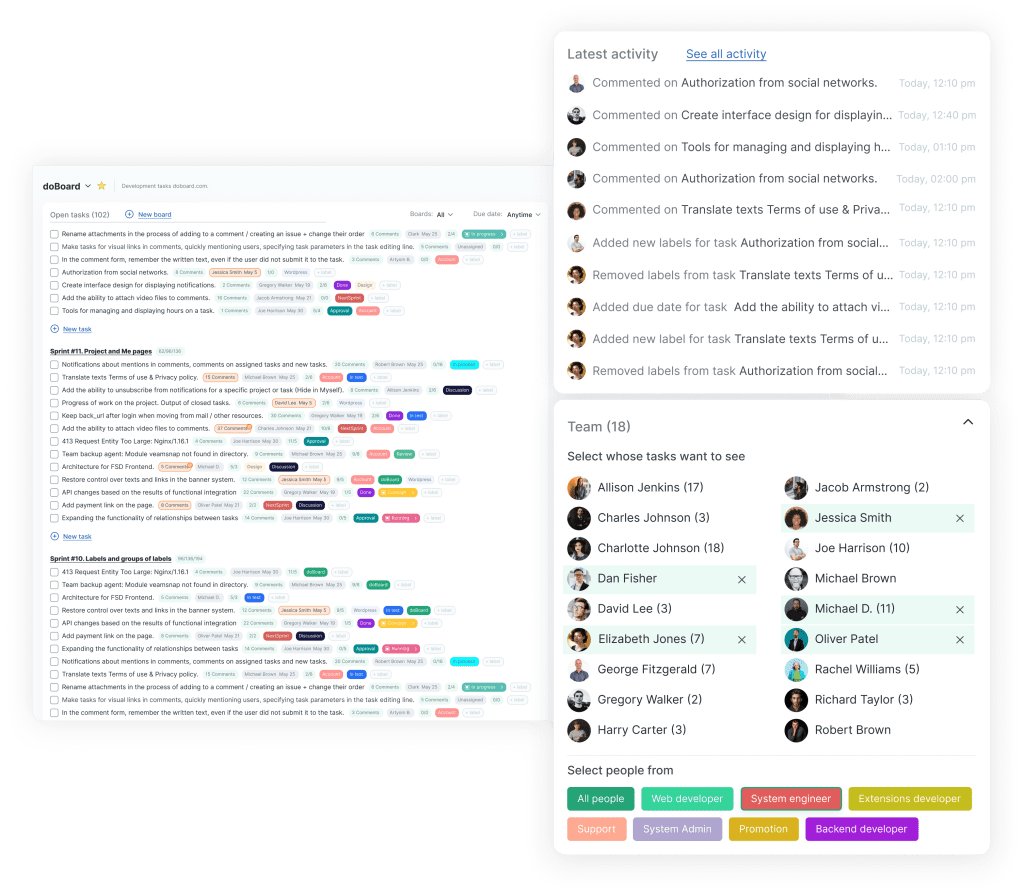
Unlimited Users for Flat Monthly Pricing
Per-seat pricing works fine for small teams. But once you hit the limit, costs grow fast. Every new person, every client, every contractor adds to the bill. doBoard charges for cloud storage only. Add your whole team, contractors, and all your clients. The price stays the same.
Pricing
Time Tracking Included. No Add-Ons Needed.
Instead of installing separate Power-Ups to track hours, doBoard has time tracking built directly into the task comment flow. Log time, calculate billable hours, and keep everything in one place. No third-party accounts, no extra subscriptions.
More about Time Tracking
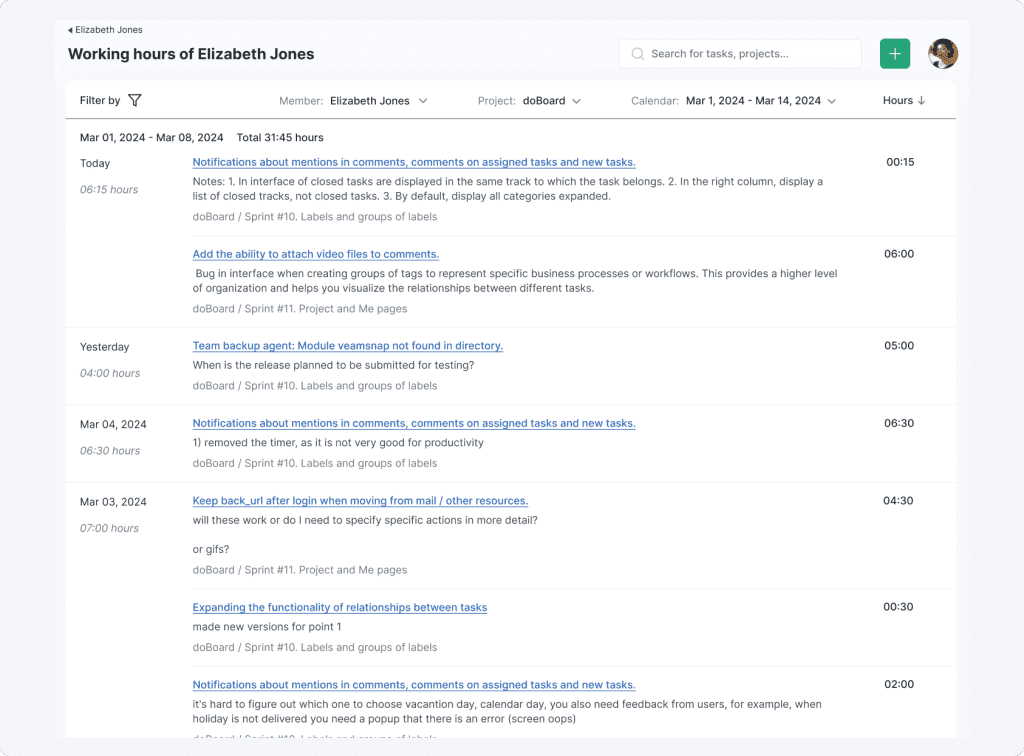
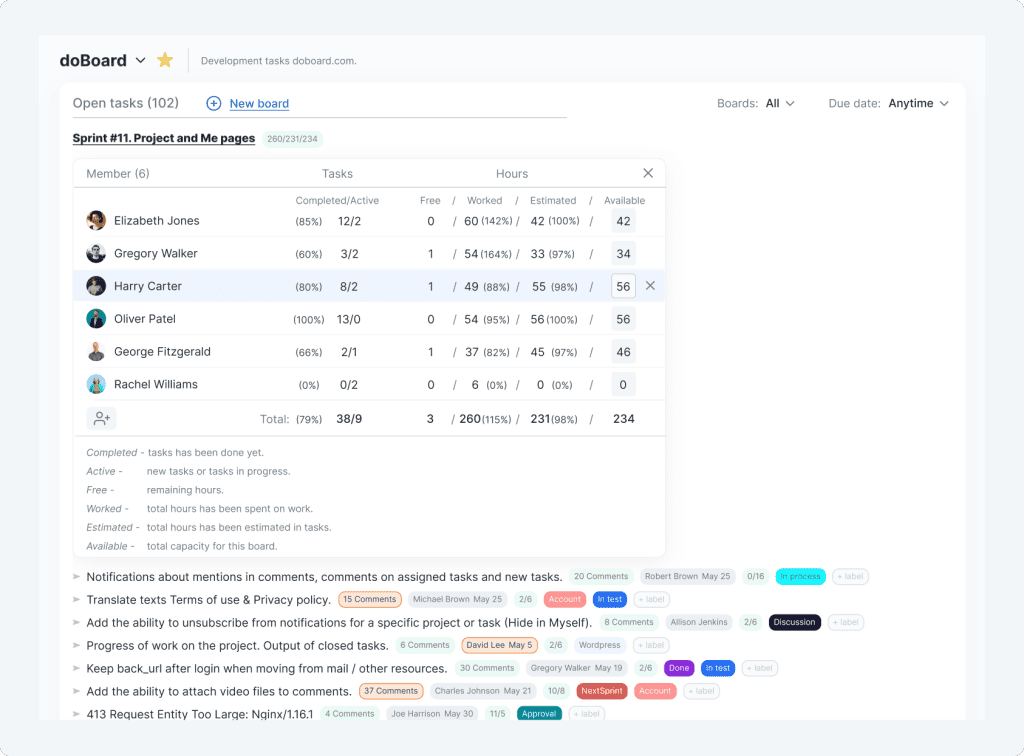
See Who Has Capacity, Not Just What’s on the Board
Most task tools show you the work. doBoard also shows you who has room to take it on.
See planned, available, and logged hours for any sprint, board, project, or teammate. Switch to the calendar view to check what’s scheduled by day, week, or month, for the whole team or any individual.
Plan around actual capacity, not optimism.
More about Task Calendar or Planned, available, and logged hours for sprint or board
Structure That Scales with You
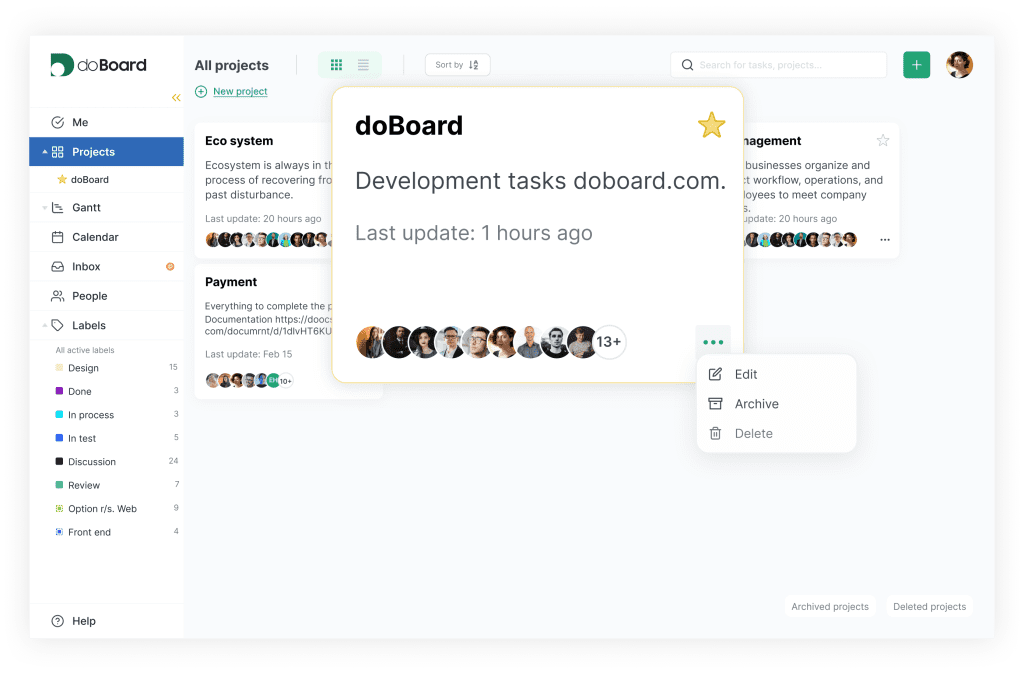
As your project list grows, flat single-level boards get harder to manage. doBoard was designed with a multi-level company and project hierarchy, keeping your workspace organized at any scale. Not just what’s getting done today, but how your whole operation fits together.
More about Project Structure
Built to Fit Your Workflow, Not the Other Way Around
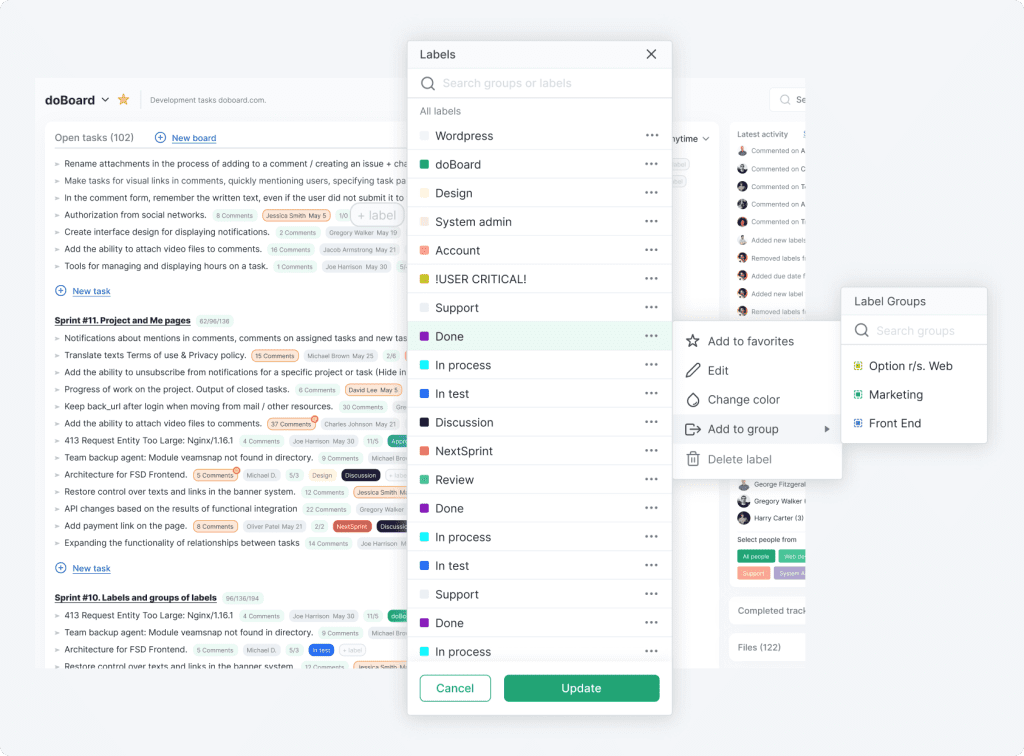
Most tools make you adapt to their structure. doBoard comes with a flexible label and tag system you can shape to match exactly how your team works. Name them, group them, and assign as many as you need to each task. Use them to track status, categorize work, or find anything in seconds. Your process, your terminology, your setup.
More about Labels and Tags
Not sure which tool fits your team?
We compared doBoard, Trello, and Jira side by side — with real pros and cons for small businesses, growing teams, agencies, software teams, marketing, and more.
Find your best fit →
doBoard vs Trello Standard
Trello Standard starts at $5 per user per month (billed annually).* That adds up quickly. And it still doesn’t include time tracking, sprint planning, or real capacity management. doBoard charges $5/month total, and includes all of that.
Trello pricing is accurate as of the publication date of this page, and may change at any time. Please consult official documentation for more detailed specifications.
doBoard vs Trello Free
Trello’s free plan is a solid starting point. But as your team grows, you start bumping into limits. doBoard costs from $5/month for everything: unlimited users, unlimited projects, and every feature included.
Feature | doBoard ($5/mo total) | Trello Free |
Boards / Projects | Unlimited | Up to 10 boards per workspace |
Team size | Unlimited | Up to 10 members |
Time tracking | Included | Not available |
Sprint planning | Included | Not available |
Workload / Team calendar | Team Calendar + Task Calendar with Available Hours | Planner is view-only |
Feature access | All features included | Paid upgrade is required for: Calendar, Timeline, Custom Fields, Card Mirroring, and advanced checklists |
Feature comparisons are based on public information available at the time of publication. Please consult official documentation for more detailed specifications.
Why doesn’t doBoard have a free plan?
Free plans typically come with intentional limits designed to push you toward a paid upgrade. We’d rather be straightforward about it: doBoard costs $5/month, and that gets you everything from day one. No stripped-down version, no upgrade pressure.
Here’s the full reasoning behind our pricing model →
ALL PLANS INCLUDE UNLIMITED PROJECTS, TASKS AND USERS
You only pay for cloud storage capacity. Enjoy a 7-day free trial with no obligations. Upgrade or cancel anytime.
5 GB
$5 per month
20 GB
$15 per month
75 GB
$50 per month
250 GB
$150 per month
750 GB
$300 per month
Most teams don’t need a hundred features.
They need the right ones: time tracking, sprint planning, workload visibility, unlimited seats.
Without the bill growing every time someone new joins the team.
That’s what doBoard is. The tools that matter, at a price that doesn’t change.
Stop counting users.
Start managing projects.
FAQ
The right answer depends on what you need. If per-seat pricing, feature paywalls, or Power-Up dependency are the friction points — doBoard is worth a look. You get unlimited users, built-in time tracking, built-in Agile features, and capacity management for $5/month total (for 5 GB). No per-seat fees, no feature tiers.
doBoard doesn’t have a permanent free tier, but you can try it free with no credit card required. Instead of a free plan with limits designed to push you toward an upgrade, we charge a flat $5/month and give you the full product from day one. The only thing that can nudge the price up is storage. And even then, it stays budget-friendly. See pricing
Built-in time tracking, sprint planning, planning poker, estimates vs actual hours, and a workload view that shows planned, available, and logged hours for any sprint, board, project, or teammate. Getting comparable functionality in Trello typically requires multiple Power-Ups, most of which carry their own costs.
All prices listed are for monthly billing, and you can cancel at any time. If you choose to pay for a full year upfront, we offer bonus free months that bring your effective monthly price down. Contact we*****@*****rd.com for the exact terms currently available.
Yes. A self-hosted version is currently in Beta. It’s a good fit for teams with data residency requirements or organizations that want full control over their infrastructure. Reach out to we*****@*****rd.com to learn more and get access.
The $5/month plan includes all features and a base storage allocation. If your team uses more storage than the base limit (5 GB), additional storage is available at an extra cost, still budget-friendly. The feature set is fixed: time tracking, sprint planning, unlimited users, all views, and any features we add in the future. All included, no extra charge. See full pricing details
Trello is a great starting point, but it relies on add-ons for anything beyond basic boards, and the per-seat pricing adds up fast. Jira is a powerful tool, but it’s built for large engineering organizations and comes with the complexity and cost to match.
doBoard is designed for teams that want more structure and built-in tools than a simple board app, without the overhead of an enterprise-grade platform. See the full comparison →