
Project management software
for Web Design and Web Development
That Gives You Everything
for $5/Month
Flat, Predictable Monthly Pricing
You only pay for storage. $5/month includes 5 GB. Upgrade only if you need more.
Adding more teammates, clients, or projects costs nothing.
No credit card required. Setup in 2 minutes.
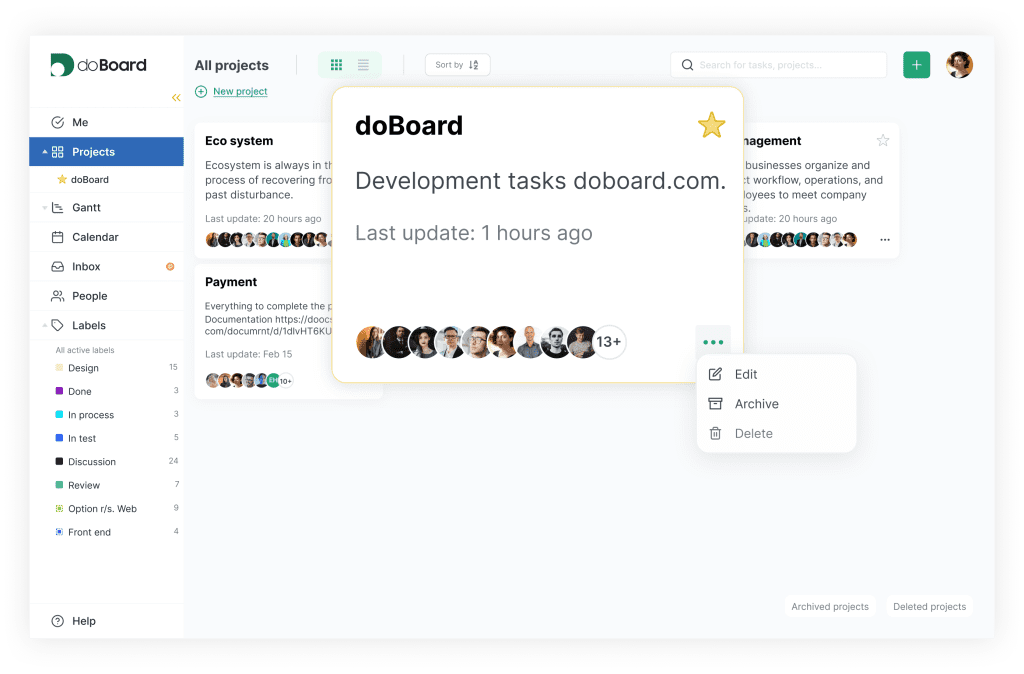
Why doBoard Is a Strong Fit for Web Design and Web Development Teams
doBoard works as a website project management tool for client-facing teams and as agency project management software for web and digital agencies that want a lighter, more practical way to run delivery.
Unlimited without seat-based pricing
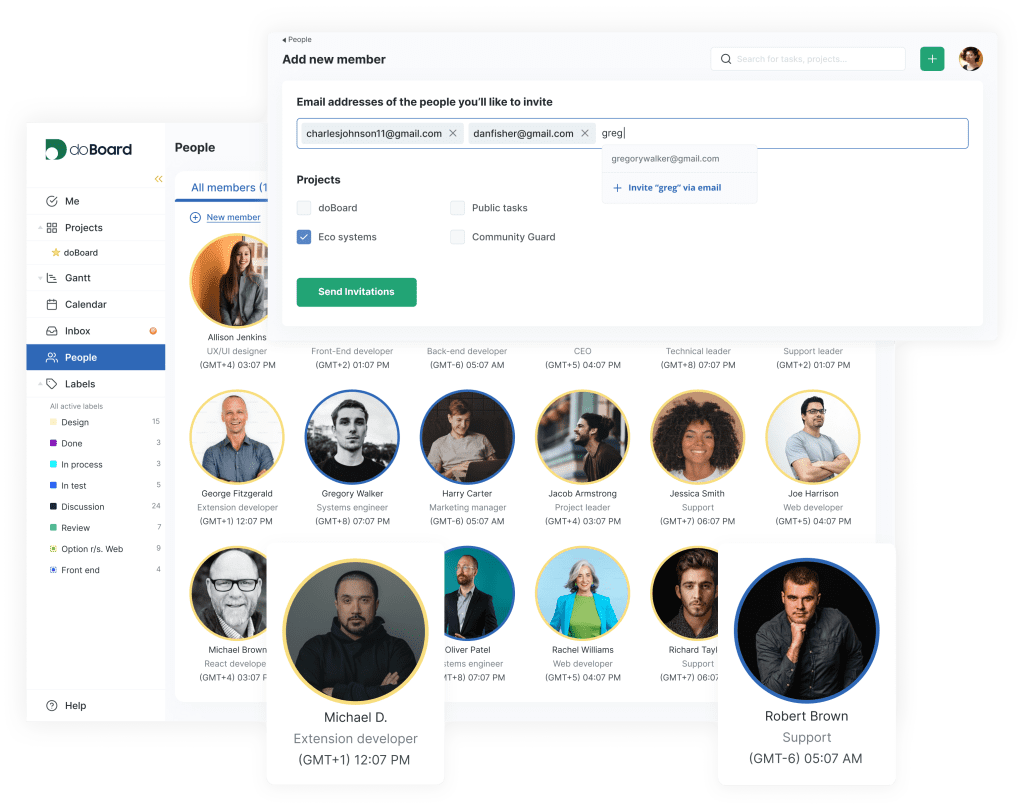
Every plan includes unlimited users, projects, tasks, and client companies. Invite your full team, your clients, and your contractors without turning your PM tool into a growing monthly tax. Your price changes only if you need more storage.
Learn more about pricing
Client work stays clean
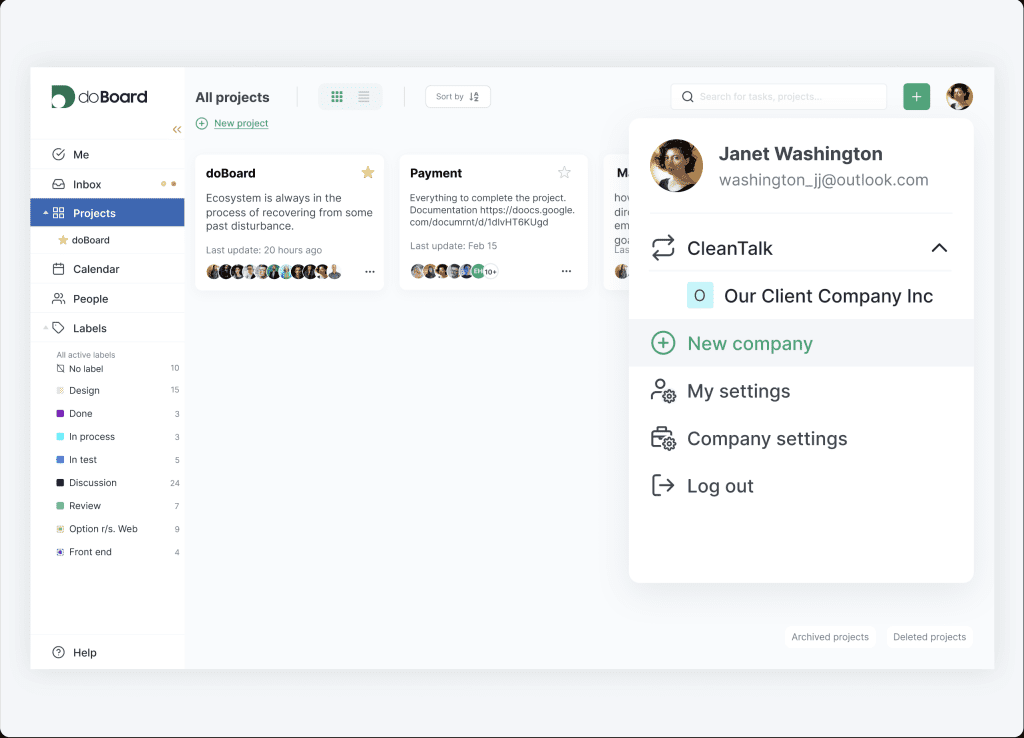
Manage all clients in secure, separate workspaces from one login by creating a separate Company for each client. Give each client access only to their own Company or only to specific projects, so visibility stays clear and controlled. And yes, every plan includes unlimited Companies.
Website feedback is already included
doBoard includes a built-in website feedback widget called Spotfix. With Spotfix, clients and teammates can highlight text or page elements directly on the site and send contextual feedback into doBoard as tasks. That means fewer vague emails, fewer “where exactly is this?” messages, and a much faster review loop.
Learn more about Spotfix
Time tracking and capacity planning in one place
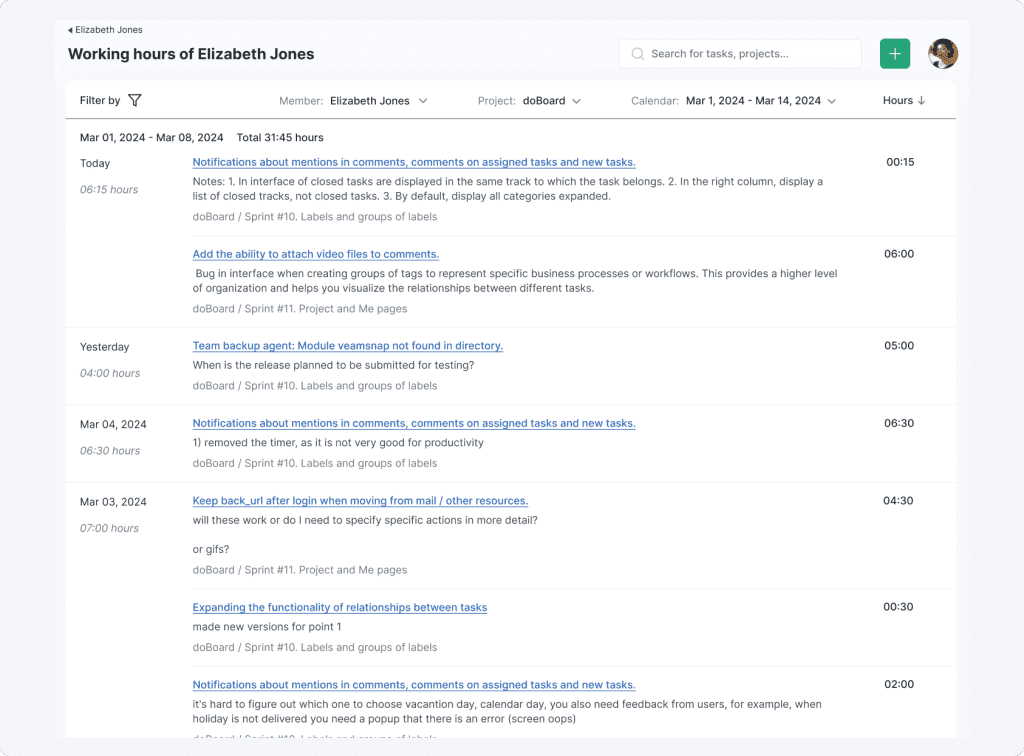
doBoard has built-in time tracking, so time can be logged right where the work is happening at task level, alongside the work context. It also supports estimated vs. actual time and calendar-based workload planning. See planned, available, and logged hours by sprint, project, or teammate, then switch to calendar view to understand what is scheduled day by day.
Flexible enough for the way your team works
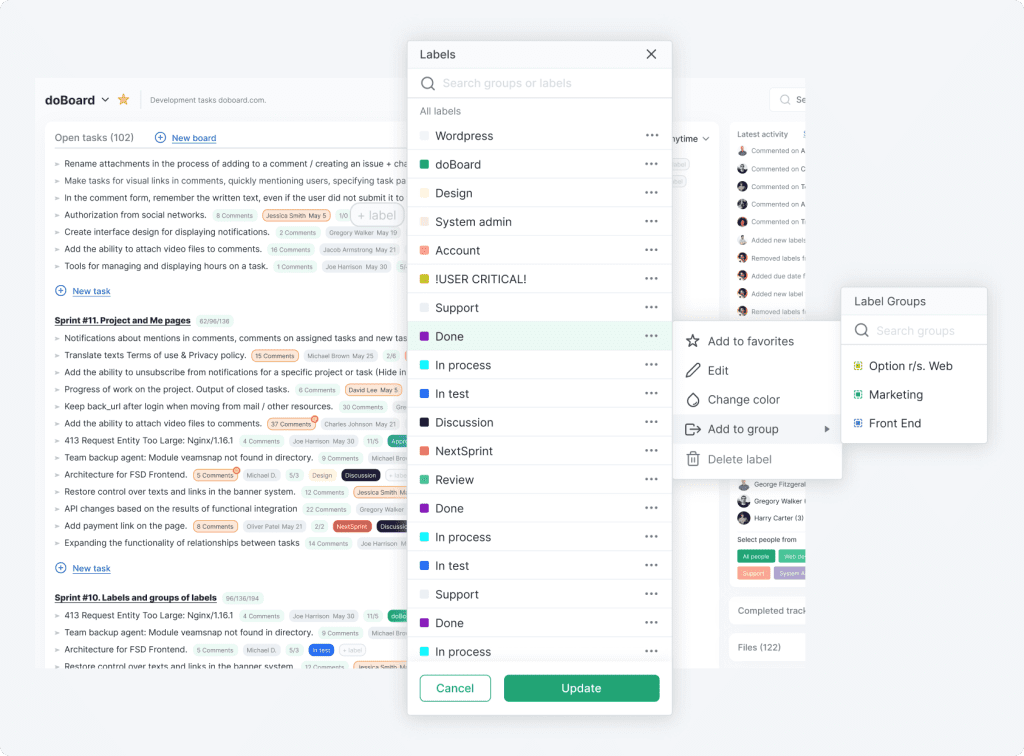
doBoard comes with customizable Labels and Tag Groups, so you can shape the system around your own workflow and terminology. Name labels the way your team already thinks, group them into stages or categories, use them to track task status movement, flag project-specific details, and find work faster.
More about Labels and Tag groups
Plan around real capacity, not optimism
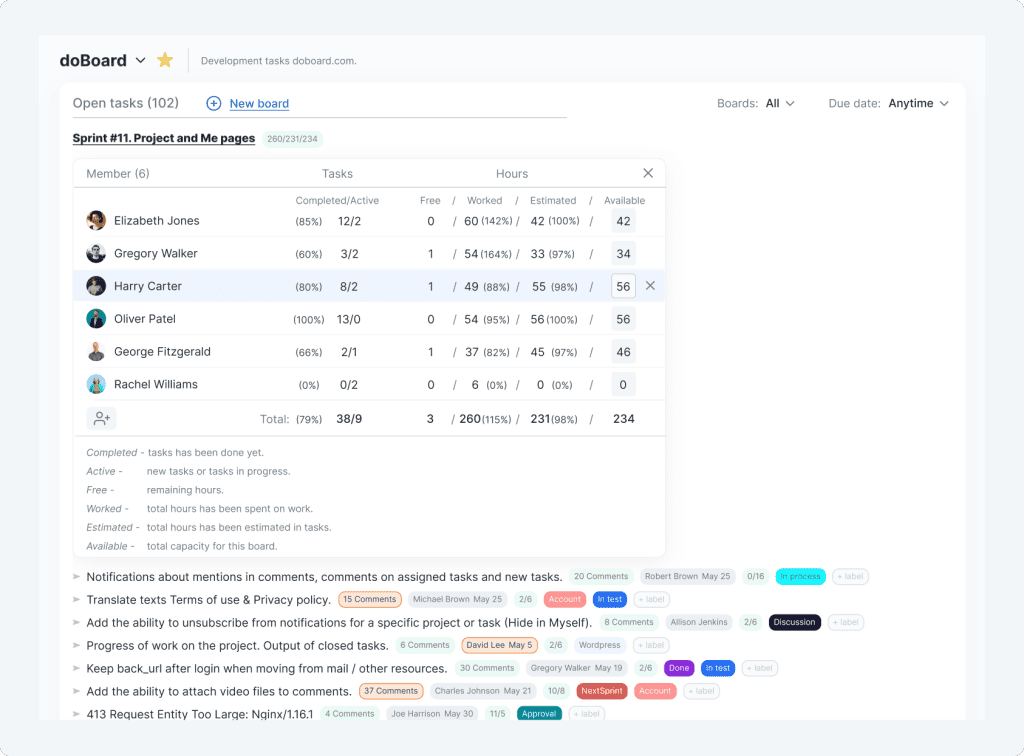
If your team works in sprints, doBoard makes it easy to set them up quickly using Dashboards, Labels, and the built-in planning structure. If you do not work in sprints, that is fine too — the space is just as easy to organize without them. That flexibility is the point: doBoard supports sprint planning with capacity and Planning Poker, without forcing every team into the same setup.
Learn more about Sprint Planning and Planning Poker
Also useful for distributed teams and developer workflows
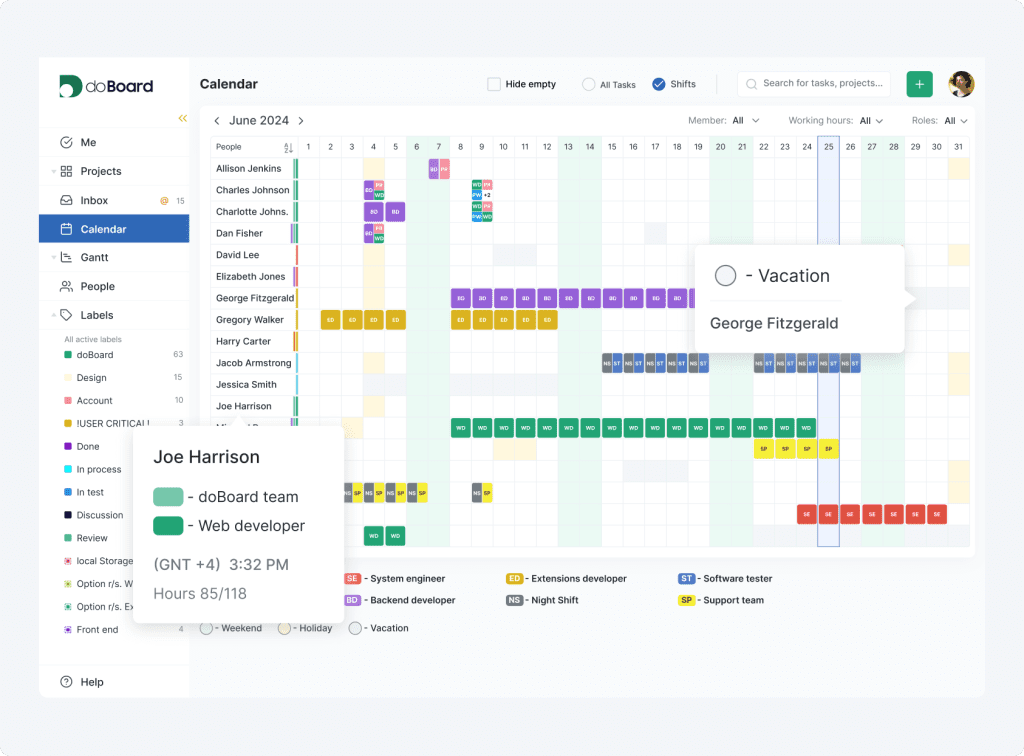
✓ Set locations and working hours for each teammate
✓ Plan across time zones with more confidence
✓ Connect GitHub Issues to keep development work closer to project tasks
All of this from $5/month for the whole team
For Different Types of Website Work
Web Design
Collect feedback in context, directly on the page, instead of decoding scattered emails and vague comments
Keep revisions, approvals, and launch prep organized in one place, with every comment tied to the exact page element
Give clients a simple way to review work without paying per seat or exposing other client workspaces
Track planned and actual time across design rounds, so feedback cycles stop quietly eating the schedule
Web Development
Keep PMs, developers, and clients aligned when technical work, feedback, and deadlines start colliding
Connect GitHub Issues so project work stays closer to the actual build and delivery process
Run sprint planning and Planning Poker when needed, without locking the whole workspace into a rigid process
Plan around real team capacity
by using working hours, availability, and calendar-based workload views
Web Maintenance
Turn ongoing site fixes, content edits, and client requests into trackable tasks fast
Manage multiple client websites from one login while keeping each workspace separate and access controlled
Stay on top of recurring small changes, urgent fixes, and follow-up requests without losing visibility across accounts
Plan support coverage clearly by seeing who is working, who is off, and when each teammate is available
Simple pricing that does not punish growth
ALL PLANS INCLUDE UNLIMITED PROJECTS, TASKS AND USERS
You only pay for cloud storage capacity. Enjoy a 7-day free trial with no obligations. Upgrade or cancel anytime.
5 GB
$5 per month
20 GB
$15 per month
75 GB
$50 per month
250 GB
$150 per month
750 GB
$300 per month
What Makes doBoard Different
vs Generic PM Tools
vs Agency PM Tools
What Users Say About doBoard
Users often highlight the clean experience, strong value for the price, and pricing that stays simple as teams and client access grow.
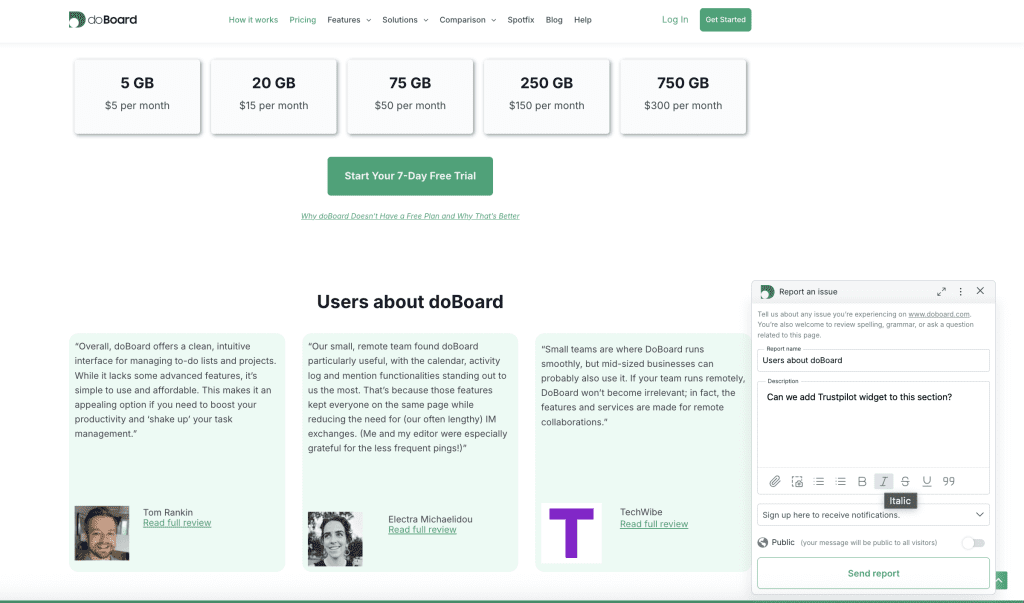
“Overall, doBoard offers a clean, intuitive interface for managing to-do lists and projects. While it lacks some advanced features, it’s simple to use and affordable. This makes it an appealing option if you need to boost your productivity and ‘shake up’ your task management.”

Tom Rankin
“Our small, remote team found doBoard particularly useful, with the calendar, activity log and mention functionalities standing out to us the most. That’s because those features kept everyone on the same page while reducing the need for (our often lengthy) IM exchanges. (Me and my editor were especially grateful for the less frequent pings!)”

Electra Michaelidou
“Small teams are where DoBoard runs smoothly, but mid-sized businesses can probably also use it. If your team runs remotely, DoBoard won’t become irrelevant; in fact, the features and services are made for remote collaborations.”

TechWibe
★★★★★ 5/5
doBoard works well for us because it skips the complicated features we don’t actually need. We can add as many contractors and clients as we want without the price going up, which makes collaboration a lot easier.
For what we pay, we are getting a lot more out of the tool than we initially expected.
We didn’t expect to get resource planning and time tracking for the whole team for so little money.
— MariaLat, Trustpilot, Apr 20, 2026
★★★★★ 5/5
Well, this product, I think, is better than analogues.
I’ve used Trello and it’s good in the beginning, but as I needed more tools for stable work, the price was too high for that. Also, Trello has very isolated communication and no built-in task time tracking.
But DoBoard has everything I need.
— Barog Jenkins, Trustpilot, Aug 20, 2023
★★★★ 4/5
Simple project management tracker, and that’s what I like about it. We needed,
– A simple tool that can be easily used by the whole team without special training/onboarding, and for it to be fast and easy to set up.
– Not expensive and with pricing that is not confusing.
That’s what doBoard is.
— JetBerry, Trustpilot, Apr 15, 2026
Stop paying per seat to manage website work.
Bring website feedback, client collaboration, time tracking, and capacity planning into one simple workspace.
No credit card required. Setup in 2 minutes.