
Project management software
for Remote Teams
doBoard is a simple project management tool for remote and distributed teams. Plan work around real availability, coordinate asynchronously without losing task context, and add teammates without per-user fees.
$5/month flat fee
You only pay for storage.
Adding more team members or clients costs you nothing.
No credit card required. Set up in 2 minutes.
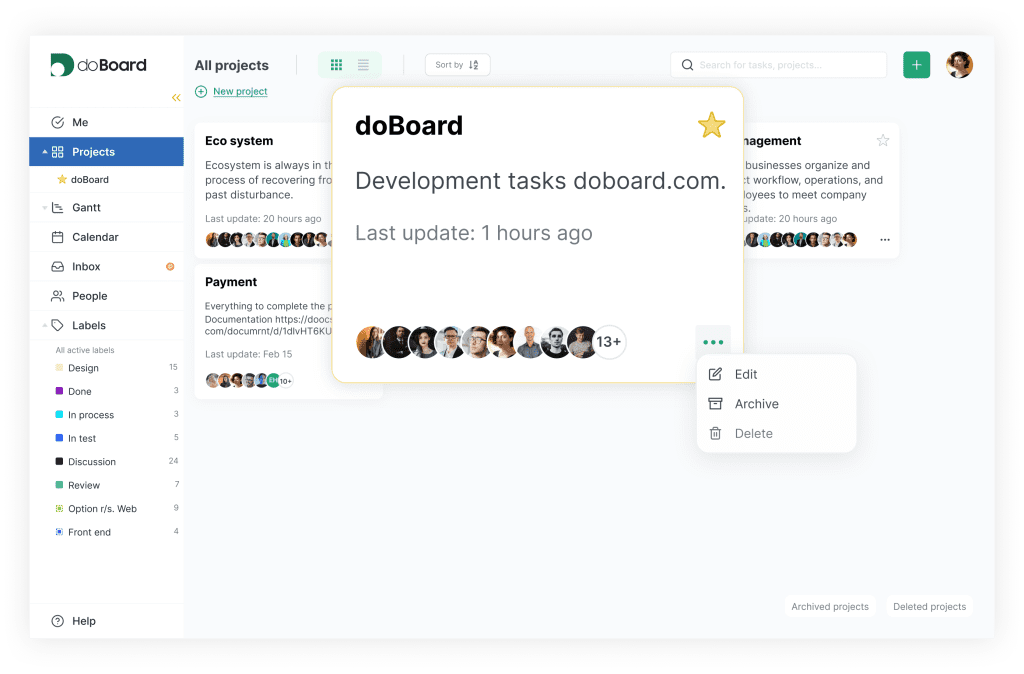
How doBoard Simplifies Project Management for Remote Teams
doBoard brings ownership, availability, workload, and project updates into one workspace. Everyone can see what is happening and what they need to do next.
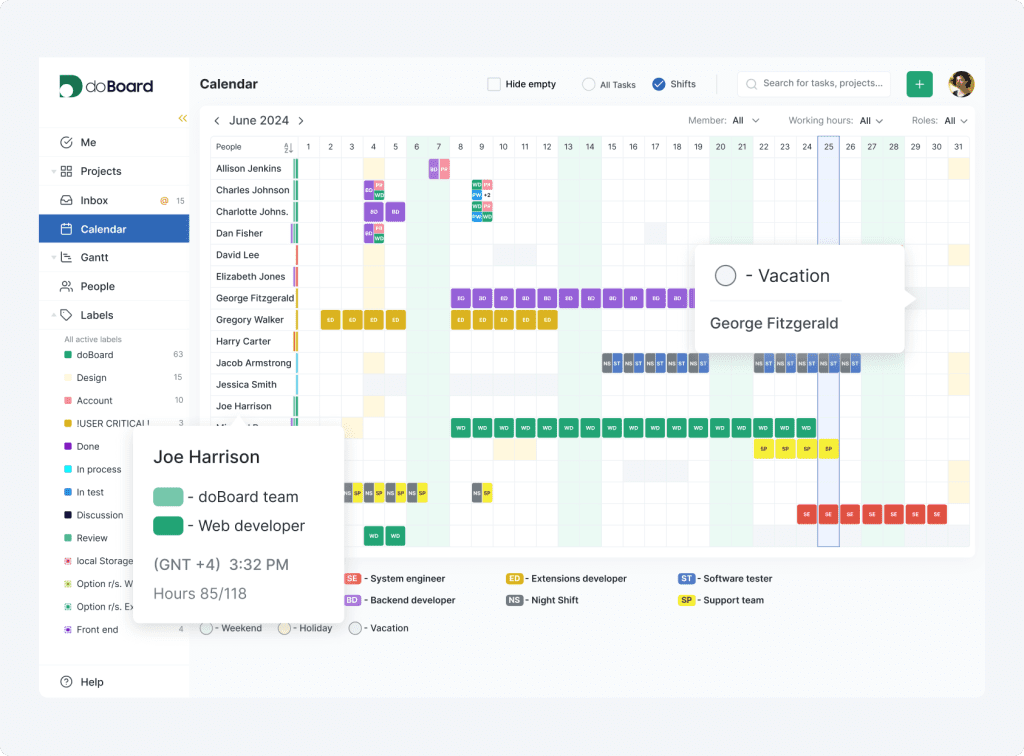
Know Who Is Available
See working hours, shifts, vacations, holidays, local time, and on-duty roles in one calendar.
Learn more
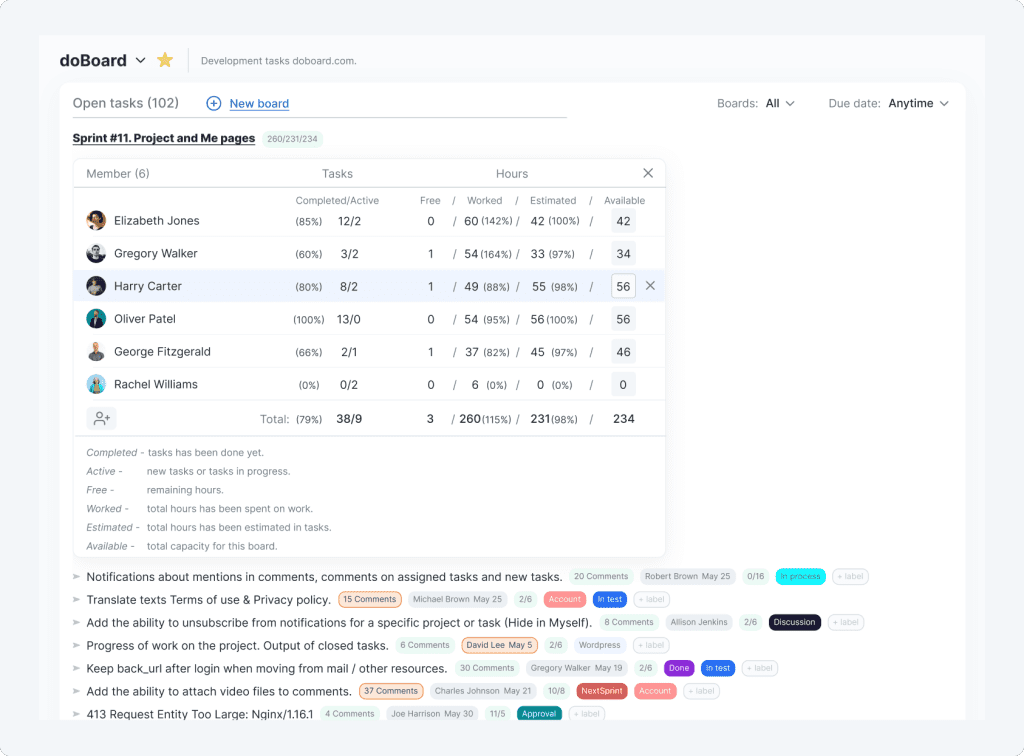
Plan Realistic Workloads
Compare planned hours with each teammate’s working hours before assigning more work or setting a deadline.
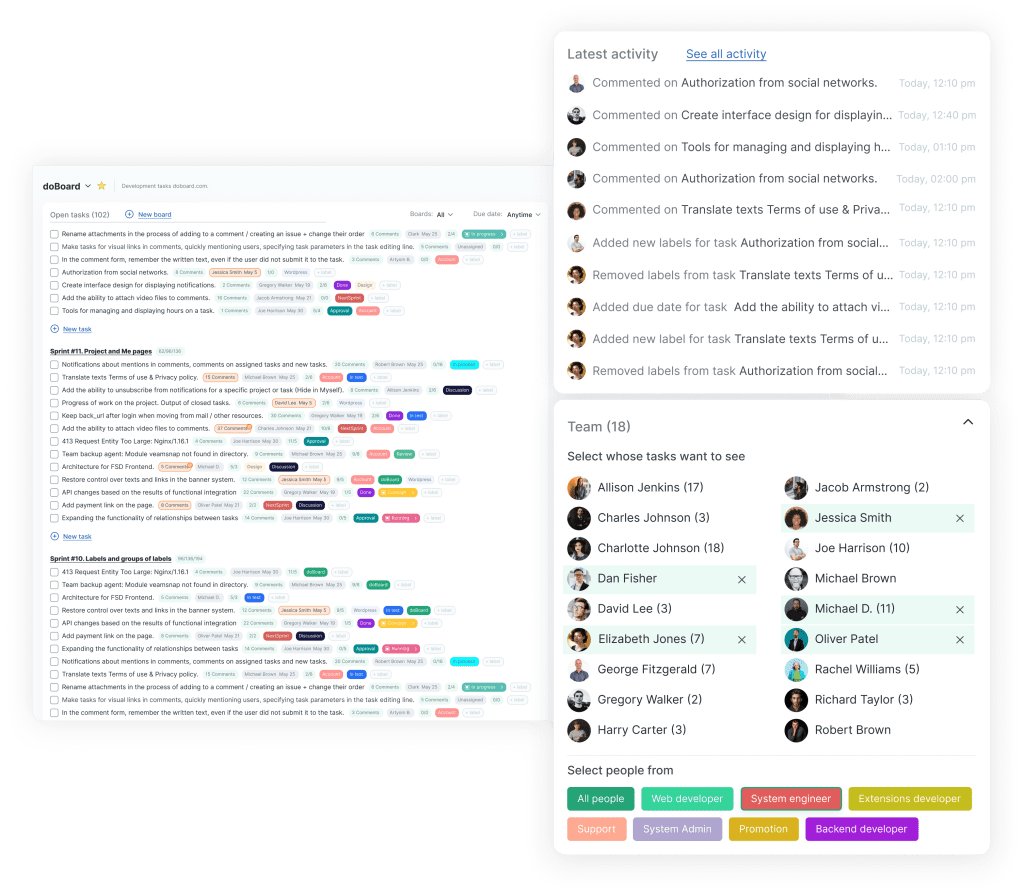
Catch Up Without Another Meeting
Comments, task history, assignments, labels, due dates, and related work show what changed and what needs attention.
Learn more
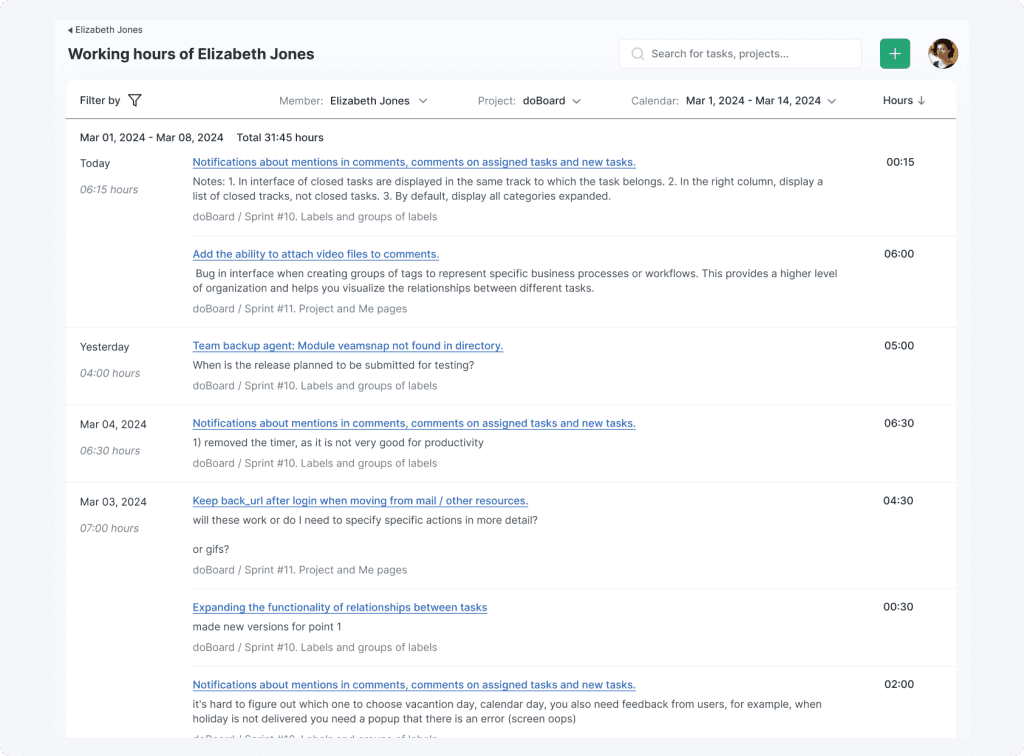
Track Time With Context
Teammates manually log time in task comments, so each entry stays connected to an update about what was done.
Learn more
Clarify Roles Across the Team
See each teammate’s role, time zone, local time, and project access in one place.
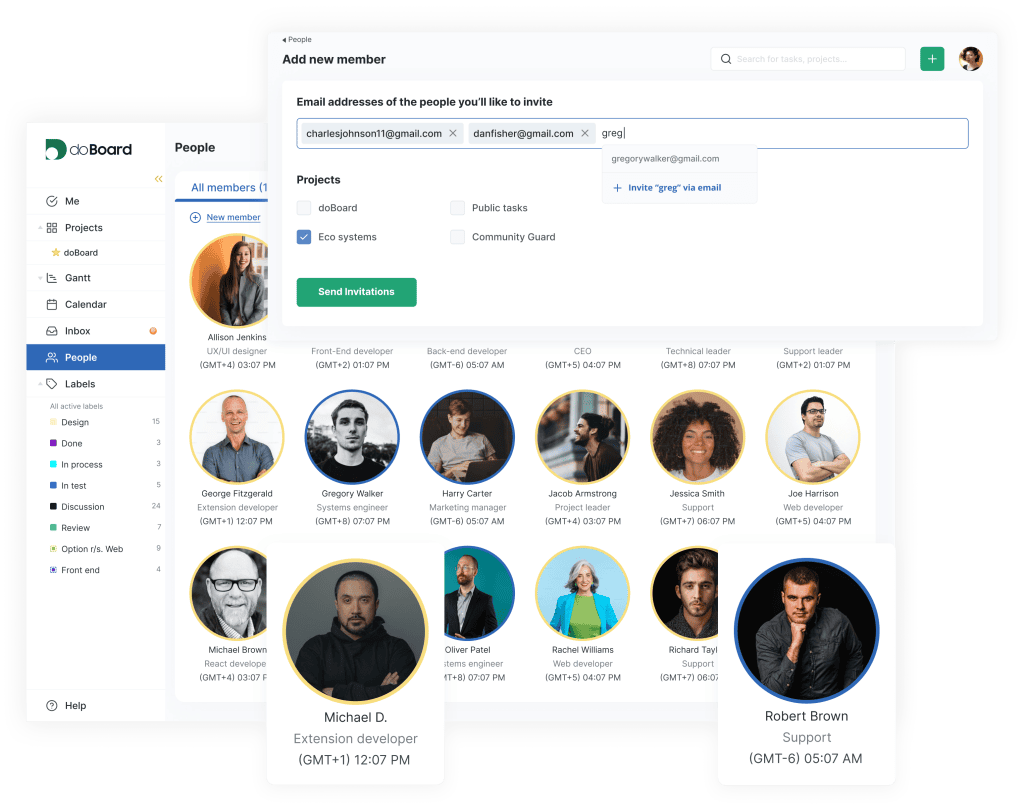
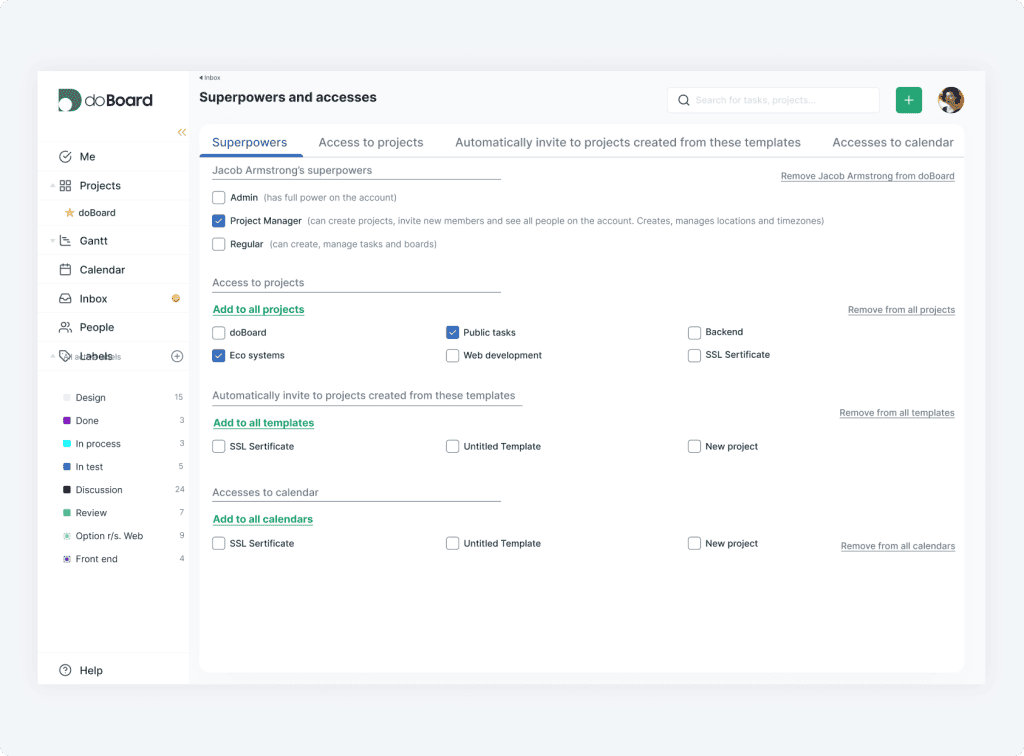
Bring In Outside Contributors
Invite employees, contractors, and clients only to the projects they need, without paying for another seat.
More Structure Than a Task Board, Without Enterprise Overhead
doBoard is built for remote teams that have outgrown simple task lists but do not want a complex project management system to maintain.
Beyond Cards in Columns: Run the Whole Project in One Place
Manage ownership, task and team calendar, workflow stages, availability, planned hours, updates, and time in one workspace.
Simple Enough for the Whole Team to Start Using Right Away
Set up projects quickly and give each teammate a clear view of what they own and what happens next.
No Per-Seat Pricing
Invite employees, contractors, and clients freely.
Every plan includes unlimited users, projects, and tasks.
No credit card required. Set up in 2 minutes.
ALL PLANS INCLUDE UNLIMITED PROJECTS, TASKS AND USERS
You only pay for cloud storage capacity. Enjoy a 7-day free trial with no obligations. Upgrade or cancel anytime.
5 GB
$5 per month
20 GB
$15 per month
75 GB
$50 per month
250 GB
$150 per month
750 GB
$300 per month
What Users Say About doBoard
Users often highlight the clean experience, strong value for the price, and pricing that stays simple as teams and client access grow.
“Overall, doBoard offers a clean, intuitive interface for managing to-do lists and projects. While it lacks some advanced features, it’s simple to use and affordable. This makes it an appealing option if you need to boost your productivity and ‘shake up’ your task management.”

Tom Rankin
“Our small, remote team found doBoard particularly useful, with the calendar, activity log and mention functionalities standing out to us the most. That’s because those features kept everyone on the same page while reducing the need for (our often lengthy) IM exchanges. (Me and my editor were especially grateful for the less frequent pings!)”

Electra Michaelidou
“Small teams are where DoBoard runs smoothly, but mid-sized businesses can probably also use it. If your team runs remotely, DoBoard won’t become irrelevant; in fact, the features and services are made for remote collaborations.”

TechWibe
★★★★★ 5/5
doBoard works well for us because it skips the complicated features we don’t actually need. We can add as many contractors and clients as we want without the price going up, which makes collaboration a lot easier.
For what we pay, we are getting a lot more out of the tool than we initially expected.
We didn’t expect to get resource planning and time tracking for the whole team for so little money.
— MariaLat, Trustpilot, Apr 20, 2026
★★★★★ 5/5
Well, this product, I think, is better than analogues.
I’ve used Trello and it’s good in the beginning, but as I needed more tools for stable work, the price was too high for that. Also, Trello has very isolated communication and no built-in task time tracking.
But DoBoard has everything I need.
— Barog Jenkins, Trustpilot, Aug 20, 2023
★★★★ 4/5
Simple project management tracker, and that’s what I like about it. We needed,
– A simple tool that can be easily used by the whole team without special training/onboarding, and for it to be fast and easy to set up.
– Not expensive and with pricing that is not confusing.
That’s what doBoard is.
— JetBerry, Trustpilot, Apr 15, 2026
Project Management Software
Built for Remote Teams
Deliver results on time, consistently.
Frequently Asked Questions About doBoard for Remote Teams
Task comments, mentions, notifications, and history keep updates attached to the work they concern. Teammates can catch up when they are available without losing task context.
No, teammates enter time in a task comment. A hint shows how long the task has been open or how long it has been since the previous comment, and the entry stays tied to the work update.
Yes. doBoard shows local time, working hours, shifts, vacations, holidays, and planned hours, so you can assign work around real availability.
Yes. You can give contractors and clients access only to the relevant company or project, without paying for another seat.
No. Every plan includes unlimited users, projects, and tasks; pricing is based on cloud storage. Plans start at $5 per month.
Yes. doBoard offers a 7-day free trial with no credit card required.