

Introducing Spotfix: Website Feedback Tool That Finally Makes Sense
Collecting feedback on a website sounds straightforward. In practice, it usually means a mix of emails, screenshots with red circles, and descriptions like “that thing near the top, on the second page.” By the time you understand what needs fixing, you have already spent more time on the back-and-forth than on the fix itself.
There is a better way. We built Spotfix — a website feedback and bug reporting tool — for exactly this.
What Is Spotfix?
Spotfix is a lightweight on-page feedback widget that sits on your website and lets anyone submit feedback in context, right where the issue is.
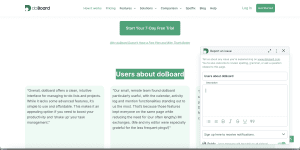
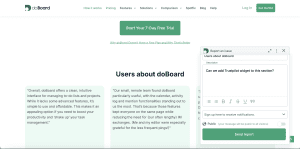
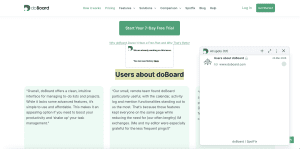
A visitor, client, or team member highlights any text or element on the page. A compact widget appears. They describe the issue, attach a file or a screenshot if needed, and hit send. The result is a Spot: a bug report, fix request, comment, or annotation tied to the exact page.
Every Spot lands in your doBoard workspace as a task, ready to review, assign, prioritize, and resolve, and appears in the widget on your site so visitors can follow progress in real time. No scattered inboxes. No lost threads. No “wait, which page did you mean?”
The workflow is simple: Highlight. Submit. Resolve.

Two Modes, One Tool
Spotfix adapts to how you actually work.
Open to all visitors.
Turn on the widget for everyone and let your community help you improve your site. Readers catch typos. Users flag broken links. Customers report outdated product details. Every report comes with context already included, and visitors can see open Spots in the widget and follow their progress in real time. Your site gets better continuously, with minimal effort on your end.
Private for your team or clients.
Restrict the widget to invited users only. In “doBoard only” mode, the widget is completely invisible to general visitors. Share a staging or live link, invite your client or team, and let them highlight what needs changing. Every Spot automatically appears as a task in your shared workspace, where everyone can discuss, update statuses, and track what has been resolved. No revision calls. No annotated PDFs. No chasing down feedback across three different apps.
Who Is It For?
Spotfix fits any situation where website feedback matters.
Web development and maintenance
Spotfix is the most obvious fit here. Whether you are building something new or maintaining an existing site, Spotfix gives clients and team members a structured way to flag issues on any page, live or staging, and keeps every fix visible and trackable in one place.
Marketing and campaign reviews
Spotfix makes campaign reviews a lot less chaotic. Collect feedback on landing pages and campaign materials from everyone involved, track every requested change, and launch only when every Spot is resolved.
SaaS products and documentation
Spotfix helps your product benefit from continuous improvement. Invite beta users or your team to review product pages and docs in context. They flag confusing copy, outdated examples, or UX blockers right where they find them, and you get a clear, prioritized list of what to fix next.
Content, media, and documentation sites
Spotfix adds a built-in editorial layer to your website. Readers catch typos and factual errors as they browse, while editors and contributors annotate pages directly instead of juggling separate review tools.
Community-driven sites and open projects
If your site benefits from the collective attention of many people, Spotfix turns every visitor into a contributor. Crowdsource typo fixes, broken link reports, and content improvements from your audience without any extra tools or moderation overhead.
Pricing That Makes Sense
Most website feedback and annotation tools are noticeably more expensive. Even their entry-level plans cost significantly more than Spotfix, and they still come with limits on the number of seats or websites you can connect. The more your team or client list grows, the more you pay.
Spotfix pricing is simple and transparent. You pay based on storage usage only. Everything else, including users and projects, is unlimited. There are no per-seat fees and no per-site restrictions.
And here is the part worth highlighting: the $5/month starting price includes not just Spotfix, but the full doBoard feature set. You can use your account exclusively for collecting and managing website feedback, or expand it into a complete project management tool for your broader work. Same account, same price.
Getting Started Takes Under a Minute
For any website: Create your doBoard account and get 7 days free. Set up a project, go to its settings, find Spotfix in the menu, and switch it on. Click “Generate Spotfix Code,” copy the snippet, and paste it before the first <script> tag on your site. Done.
For WordPress: Same first steps, but instead of pasting code manually, install the official Spotfix plugin from the WordPress directory. Activate it, open its settings, paste your generated code into the designated field, and the widget is live. No developer needed.
Full step-by-step instructions for any website and WordPress are available on the Spotfix page. Getting up and running takes under a minute, and the first 7 days are free.
One More Thing
All Spots live in doBoard, your built-in workspace. Label them, assign them, set due dates, discuss in context, and mark them done. You can use doBoard exclusively for Spotfix feedback, or expand it into a full project tracker for broader work. Same account, same price.
Your website stays accurate, up to date, and aligned with what users actually need, without the usual chaos.